You are at the track, between rounds, trying to jot down what you just ran before you forget. The last thing you want is to fight a long form on your phone. GripGuide v3.3 is all about fixing that. Logging a session is now faster and simpler, built for how you actually use your phone at the track.
Here is what is new.
🧭 A Guided New Entry Form
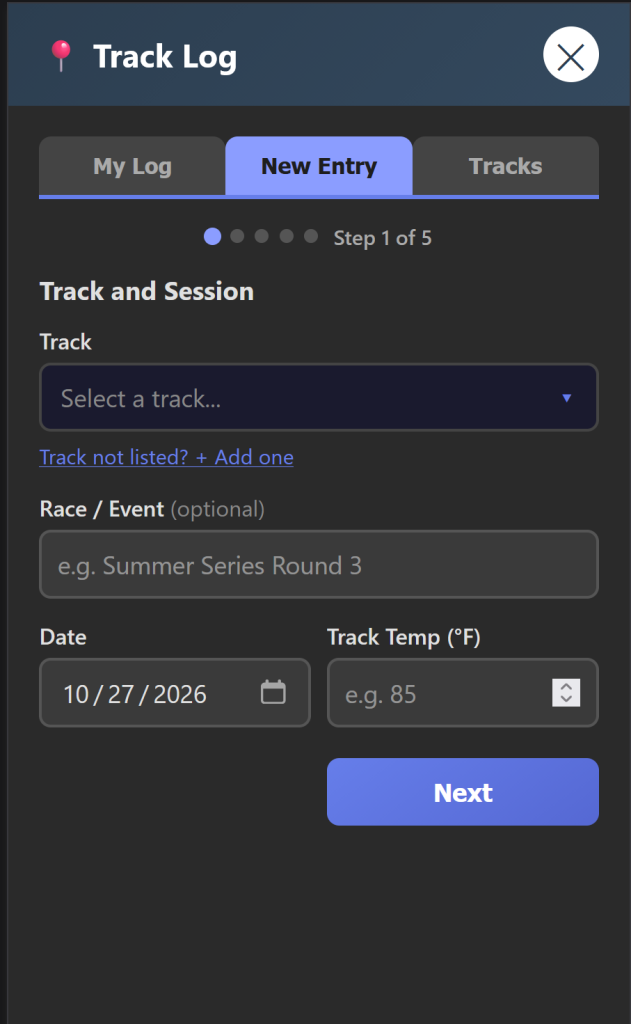
The New Entry form used to be one long page you scrolled through. Now it walks you through it one step at a time: Track and Session, Surface, Tires, Driver, then a quick Review before you save. Less scrolling, less chance of missing a field, and a lot easier to fill out one-handed between rounds.
🔍 Searchable Pickers Instead of Dropdowns
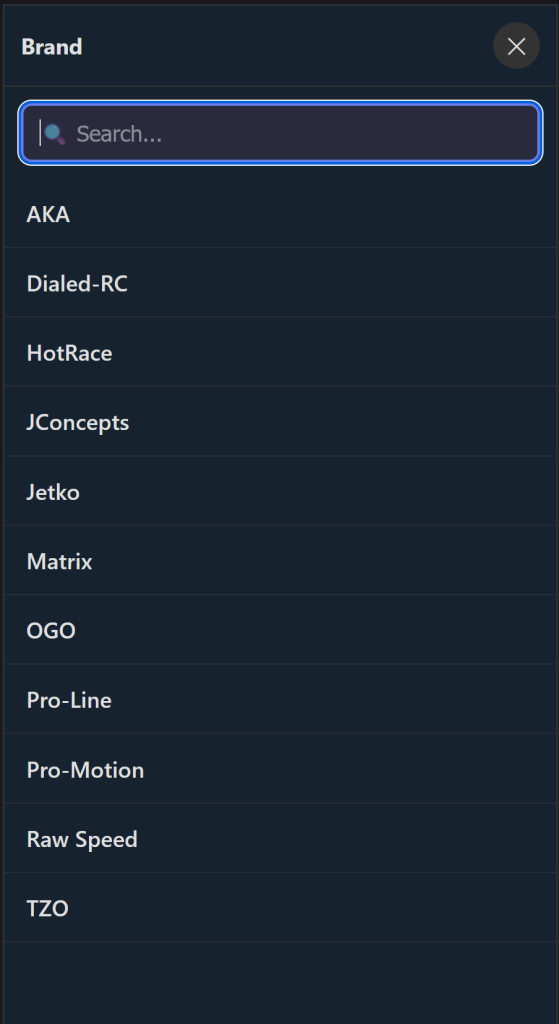
Every tire and track selector is now a full-screen searchable list. Tap the field, start typing to filter, and tap to pick. No more wrestling with tiny native dropdowns that never quite behave on a phone. Picking your track, brand, tread, and compound is quick and clean.
🏁 Simpler Per-Round Logging
If you log a different setup per round, that got easier too:
- Round type is a quick pick list now (Practice, Seeding, Qualifier, Main), so your rounds stay consistent and easy to read later
- Extra rounds collapse as you add them, so the form stays short no matter how many rounds you log
- Each round still carries its own tire, compound, front and rear stagger, star rating, and notes
✨ Cleaner Throughout
Beyond the big changes, GripGuide v3.3 brings layout and readability fixes across the app: better spacing, buttons that fit where they should, and a few rough edges smoothed out on mobile.
✅ Nothing Lost
Everything you already logged is right where you left it, and single-tire logging still works exactly as before. If you missed it, v3.2 added per-round tire logging, and v3.3 just makes getting it all in there faster.
🔧 Try It Now
GripGuide is live and free at gripguide.net. No account needed. Open the Track Log, start a New Entry, and try the new step-by-step form the next time you are at the track.
If a tire is missing or you have an idea for what to add next, you can submit it right in the app. Let’s keep building something the R/C community actually uses. 🏁
Leave a Reply