Category: Tire App

  • R/C Tire Selector App Update

    The R/C Tire Selector app keeps getting better. Here’s what dropped in the latest update. Track Log Photos, Quick Add Tracks, and More Tires

    Track Log Photos

    You can now attach up to 2 photos when logging a race session. Snap a pic of the track conditions, your tire wear, whatever helps tell the story. Photos show up as thumbnails in the log entries and tap one to open it full-screen.

    This helps when you’re looking back at what the track actually looked like when you ran that setup. “Hard packed with light dust” means different things to different people. A photo doesn’t lie.

    Add a Track Without Leaving Your Log Entry

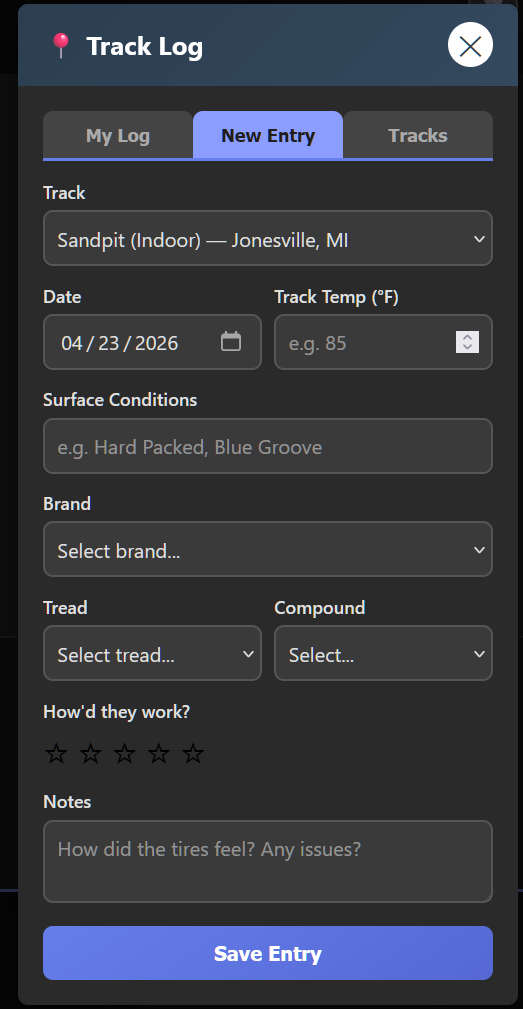
    Previously, if your track wasn’t in the list, you had to switch over to the Tracks tab, add it, then come back. Now there’s a “Track not listed? + Add one” link right below the track drop-down in the New Entry form. Fill in the name, city, and country, and the app adds it to the list and auto-selects it so you can keep filling out your log without losing your place.

    The app flags new user-submitted tracks for admin review, but they work immediately. Your log entries always display correctly regardless of track status.

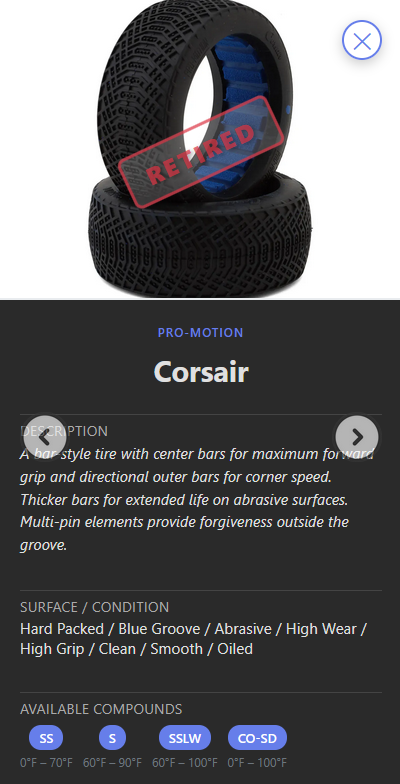
    Pro-Motion Corsair Added

    The database now includes the Pro-Motion Corsair bar tire. It’s discontinued, but plenty of people still run them, especially on abrasive, high-grip, oil-sealed tracks. If you’ve got Corsairs in your tire bag, they’ll now show up in your search results with full compound and surface data.

    R/C tire selector app Pro Motion Corsair Tire

    Submission Filtering Fixed

    Previously, tire submissions that the admin already reviewed (approved or rejected) still showed up on the submissions page. That’s fixed now. Only pending submissions appear.

    What’s Next

    The community keeps growing, and the data keeps getting better. Keep logging your race sessions. Every entry makes the app more useful for everyone.

    Try the R/C tire selector app now: https://tires.dodgecityrc.com

    previous post: https://dodgecityrc.com/r-c-tire-selector-v2-4-now-open-to-everyone-track-log-brand-logos-more/

  • R/C Tire Selector v2.4 — Now Open to Everyone, Track Log, Brand Logos & More

    The R/C Tire Selector has come a long way since the original beta launch. What started as a simple “match tires to track conditions” tool has grown into something much bigger — and as of today, it’s open to everyone. No more beta keys.

    Here’s what’s new.

    It’s Open — No Beta Key Required

    The biggest change first: the beta key system is gone. Anyone can access the app now. Just accept the disclaimer, and you’re in. If you had a beta key before, everything still works — your favorites, your settings, everything carries over.

    Track Log — Your Race Day Journal

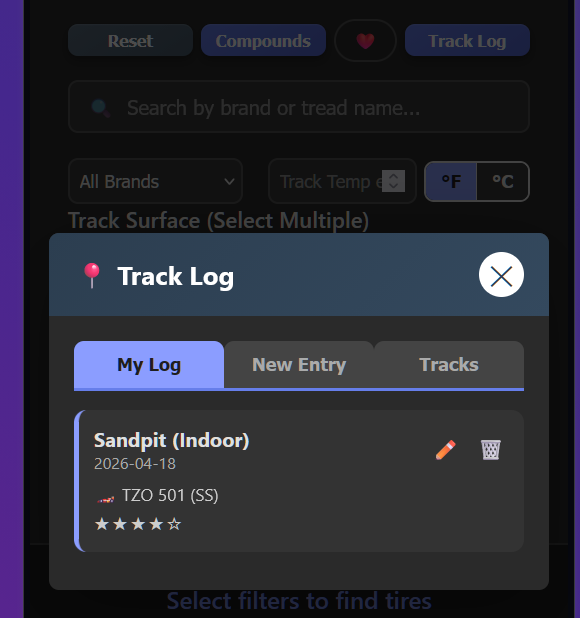
    This is the feature I’m most excited about. The new Track Log lets you record your race sessions — what track you were at, what tires you ran, the compound, track temp, surface conditions, and how they worked. Rate your setup 1-5 stars and add notes.

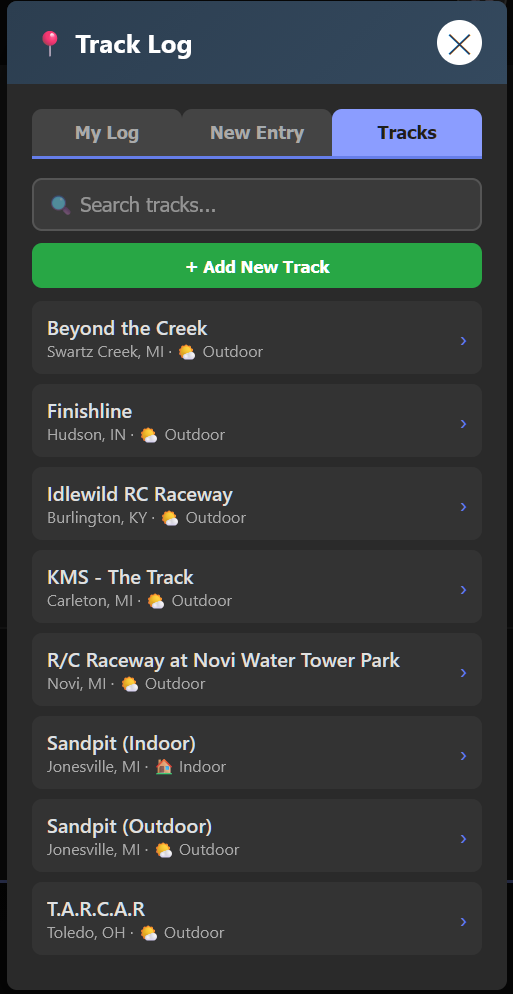
    But here’s the cool part: it’s shared. When you tap on a track in the Tracks tab, you can see what other people ran there too. Over time, this builds into a community knowledge base — before you even get to a track, you can see what tires worked for others in similar conditions.

    The tire entry is smart — pick a brand and the tread list filters to only that brand’s tires. Pick a tread, and the compound dropdown shows only that tire’s available compounds. No typing, tap.

    Tracks are shared across all users. You can add new tracks that everyone can see, and the app comes preloaded with several tracks in the Michigan/Ohio/Indiana/Kentucky area to get things started.

    Brand Logos in the Header

    Select a single tire brand from the dropdown, and the header transforms — the app title swaps out for that brand’s logo. It’s a small touch, but it makes the experience feel more polished, especially when you’re focused on one brand.

    Show/Hide Brands

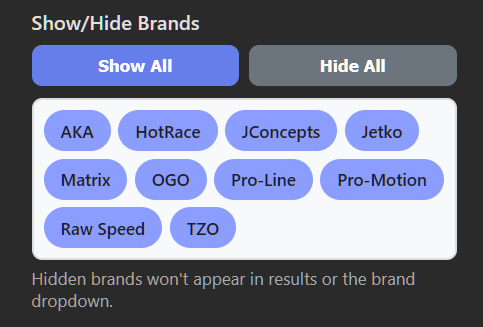
    New in Settings: a brand visibility filter. If you only run AKA and TZO, you can hide every other brand. They won’t show up in results, the dropdown, or suggestions. Tap “Hide All” then tap the brands you want — clean and simple.

    Compound Guide — Now by Brand

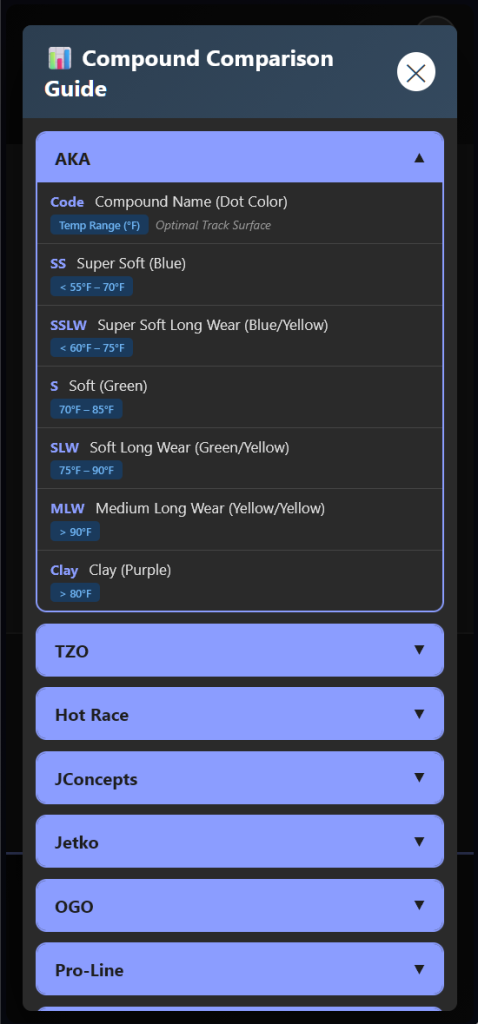
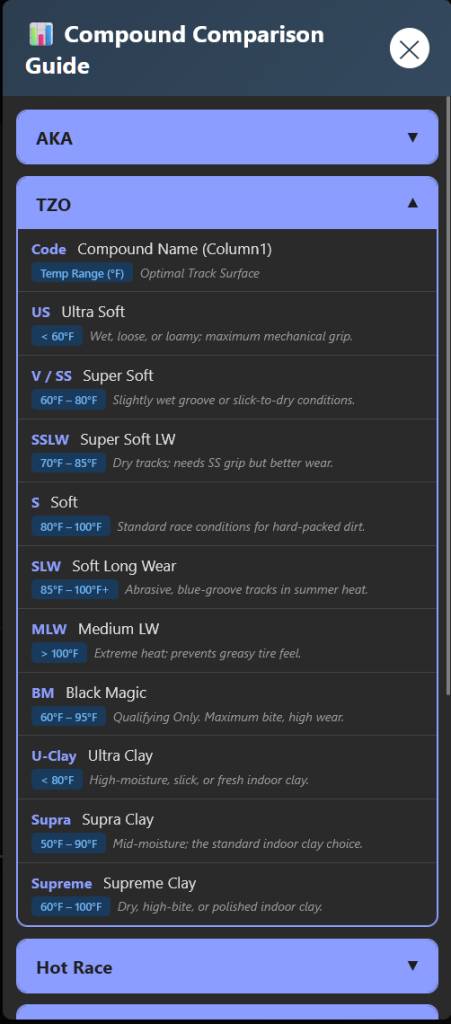
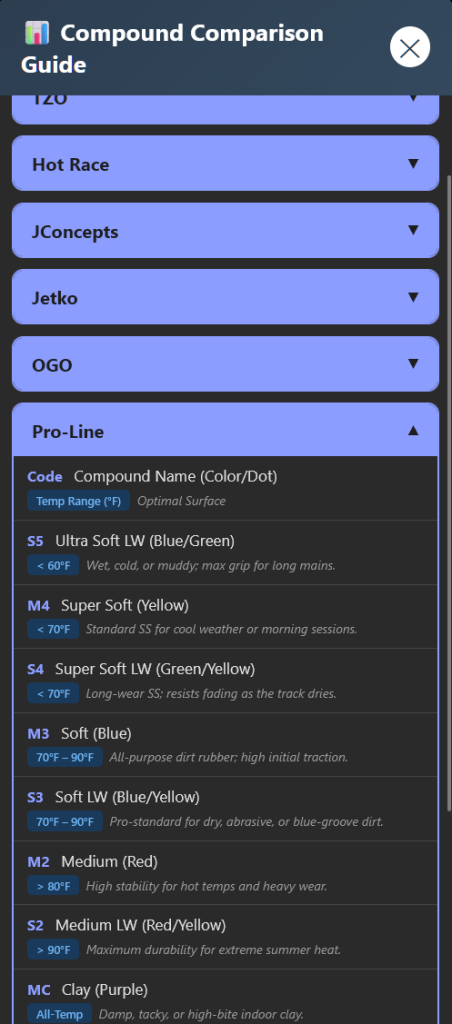
    The compound comparison chart was redesigned for mobile. Instead of showing categories (Ultra Soft, Soft, etc.) with each brand listed inside, it now shows brands as the headers. Tap a brand to see all their compounds, including codes, colors, temperature ranges, and which surfaces they’re best for.

    This is way more intuitive — racers think “what does AKA offer?” not “what does every brand call their Soft compound?”

    Raw Speed Compounds Added

    Raw Speed now has full compound data in the app with official temperature ranges straight from the manufacturer. SS, SSLW, Soft, SLW, Clay, and Gumball — all mapped with temps and surface recommendations.

    What’s Next

    The app keeps growing. On the short list:

    • Brand visibility via URL — share a link that only shows specific brands
    • Compare mode — select 2-3 tires for side-by-side comparison
    • Track condition presets — save filter combos like “Indoor Clay” for quick switching
    • Android / iPhone app — a native Play / App Store versions is in the works.

    Try It Now

    The app is live and free at tires.dodgecityrc.com

    No account needed. No beta key. Just open it and go.

    Your favorites sync automatically across sessions, and you can link multiple devices in Settings so your phone and computer share the same data.

    If you find a tire that’s missing or have feedback, there’s a “Add Tire” option right in the app.

    Let’s keep building something the R/C community actually needs. 🏁